
01
Add the Extension
Select “Add to Chrome” and follow the prompts to finish installing.
Takes ~10 secondsGet a reminder to activate Cash Back as you shop, then let Extrabux test available coupons at checkout. Save time without searching or trying codes one by one.
+ Add to Chrome - It's Free Free Install · Supports ChromeSee available Cash Back and coupons on supported store pages. Store availability and Cash Back rates may change.


Shop as usual. Extrabux reminds you to activate Cash Back and tests available coupons at checkout.
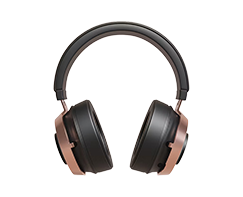
On supported stores, see the current Cash Back rate in the extension. Click to activate, then continue shopping to start tracking your Cash Back.
At checkout, the extension tests available coupons one by one and applies an eligible offer—no manual searching, copying, or trial and error.
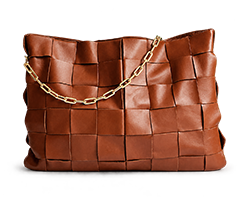
As you browse, the extension recognizes supported stores and reminds you when Cash Back is available to view or activate.
Install the extension and sign in, then shop as usual.
Select “Add to Chrome” and follow the prompts to finish installing.
Takes ~10 secondsSign in to link eligible Cash Back activity to your Extrabux account.
Log in just onceBrowse supported stores. When prompted, activate Cash Back and let the extension test coupons at checkout.
Saves search timeYes. The extension is free to install and use. See the website for the terms that apply to your account and Cash Back program.
No. When you visit a supported store, the extension shows an alert. Click “Activate Cash Back” before completing your purchase.
On supported checkout pages, the extension tests available coupons and applies an eligible offer. Store, item, and order conditions may affect eligibility.
Availability varies by store. Some stores have restrictions or require you to start from the Extrabux website. Check each store’s terms before purchasing.
After Cash Back is confirmed, check your available balance and supported payout options in your Extrabux account. Timing and methods depend on account and store terms.
Install Extrabux to get Cash Back reminders while you shop and test coupons at checkout.
+ Add to Chrome